


- Clearance Sale
- Warehouse Clearance
- Inventory Clearance 2025
- M5-Smart-Green
- 12V Electric Hand-Held Funiro
- Phone Accessories/Power Banks
- Kitchen and Household Items
- Pet
- Fashion and Clothing
- Beauty Care
- Light Shows
- DIY
- Dashcams
- Smartwatches and Bracelets
- Home, Decor, and DIY
- Sports, Recreation
- Toys and Children's Accessories
- Electronics/Computer Science
- Car and motorcycle accessories, diagnostic scanners, GPS
- Gaming Chairs, Armchairs
- Surgical masks and medical device disinfectants
- Earbuds
- Speakers
- Car Radio
- Motorized devices
- Bicók
- Cameras
- Evaporators, Humidifiers
- Furniture
- Top Products
- Projectors
- Electric scooter
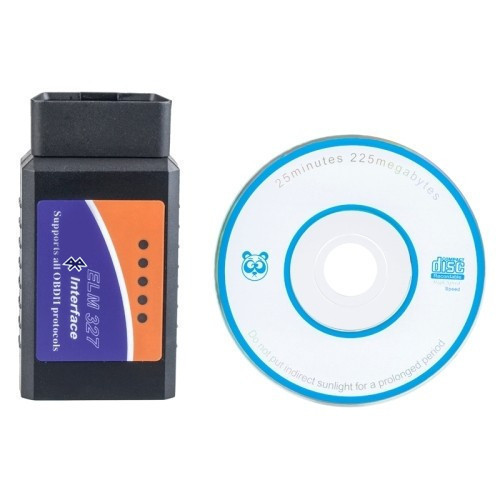
ELM327 OBD Bt. Trouble Code Reader + Live Data Monitor
Make sure your car is running safely!
Read diagnostic, general, and manufacturer-specific trouble codes and find out what they mean!
The error code reader’s database contains more than 3,000 general code definitions.
It’s one of the most flexible programs ever created. Thanks to its Android operating system, it offers features that even its PC counterparts struggle to match.
Connectivity: Supports USB, Wi-Fi, and Bluetooth interfaces. For USB, Android 3.0 or a higher OS version is required.
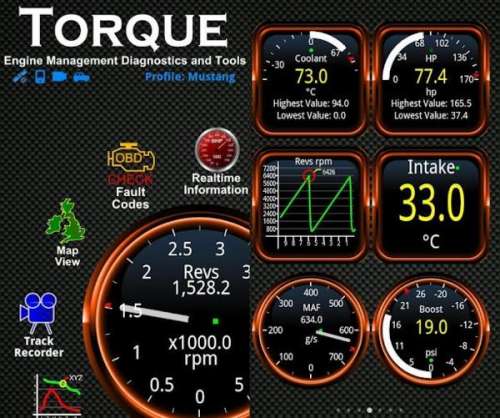
Software Overview: Torque Lite
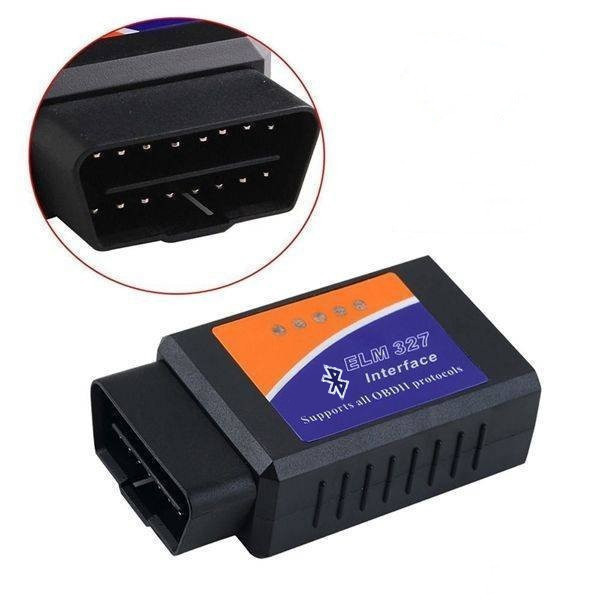
The ELM327 Bluetooth OBD2 V1.5 automotive diagnostic interface is used to read diagnostic trouble codes. It displays both generic and manufacturer-specific trouble codes and explains their meanings.
You can test the vehicle and view real-time sensor data.
It supports all OBD-II protocols as well as ISO 91441 KWP2000, SAE J1850, and CAN buses. It works with all OBD-II-compatible vehicles.
The Bluetooth diagnostic interface is easy to use.
Features:
- Blue color
- Supports all OBD-II protocols
- Supports the ISO 9141, KWP2000 standards
- Supports SAE J1850
- Supports CAN buses
- Displays real-time sensor data, including: Engine RPM
- Calculated load value
- Coolant temperature
- Fuel system status
- Vehicle speed
- Short-term fuel address
- Long-term fuel replenishment
- Intake manifold pressure
- Ignition timing advance
- Intake air temperature
- Airflow velocity
- Throttle valve position
- Oxygen sensor voltages / associated short-term fuel trim values
- Fuel system status
- Fuel pressure
- Comes with CD software
Menu System
When you launch the program, a sleek interface appears. You can access the basic functions via the scrollable icons arranged in a circle:
- Display
real-time data - Read and clear
error codes - Map view
- Test results (ball probe)
- Graphs
- Adapter status
Pressing the phone menu button displays the general settings and your vehicle’s profile settings.
Overview of Submenus
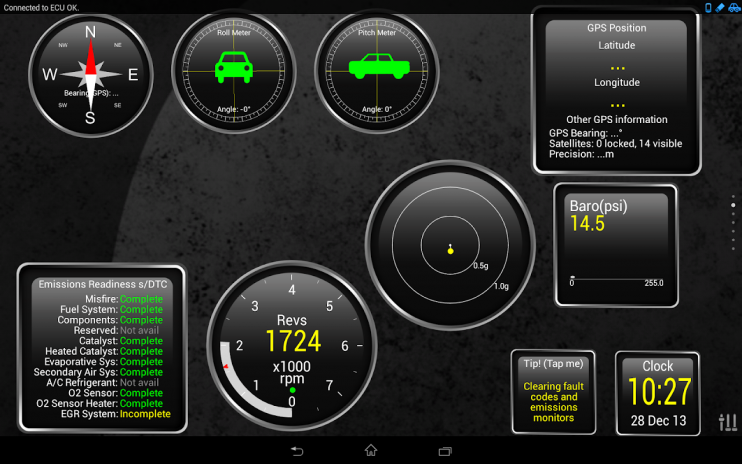
Displaying real-time data:
In this section, you can view the available sensors; this is likely the feature you’ll use most often. Accordingly, you can customize it—to the extent that you can tweak the displayed values using various clock styles, sizes, and layouts, and even adjust the display of minimum and maximum values
The clocks are moved using the “drag-and-drop” method; they don’t have fixed positions. If we want, they can overlap or even hang off the screen. I should note here that there are multiple scrollable pages for the clocks.
Reading and clearing error codes:
This is done in the usual way—nothing fancy—though it does take a while to read the ECU’s memory. Once you’ve read and noted down the codes, you can clear them immediately. It’s also worth mentioning that it has a built-in fault code search function, so you can type in, for example, what the P0123 fault code means. This is handy—no need to browse the internet or consult a service manual.
Map view: Here you can see the route you’ve traveled; if Google Maps is installed, it imports and logs GPS data.
Test Results: Here you’ll find the self-diagnostic functions described earlier.
Graphs: It logs the selected PID as a function of time, RPM, or another PID. This can be useful if you suspect a malfunction or just want to satisfy your curiosity.
Adapter Status:
Useful self-diagnostic features related to the adapter are available here. In addition, this includes, among other things, ECU Mode 09, VIN, the protocol used, etc. Within this section, you can view the number of incorrectly transmitted data packets. (This is a great way to figure out if your adapter is junk.) You can also see the adapter’s speed here in MIN/MAX/average format. Other status information is also included here. (Available for free download from the Play Store)
-
Inventory 81 dbItem number holm0342
